KidPing – family safety alert app for kids
One press tells mum and dad. KidPing gives your child a silent way to call for you, even when their phone is locked in a pocket.

Search KidPing on the App Store, or tap the button to open it.

Screenshots
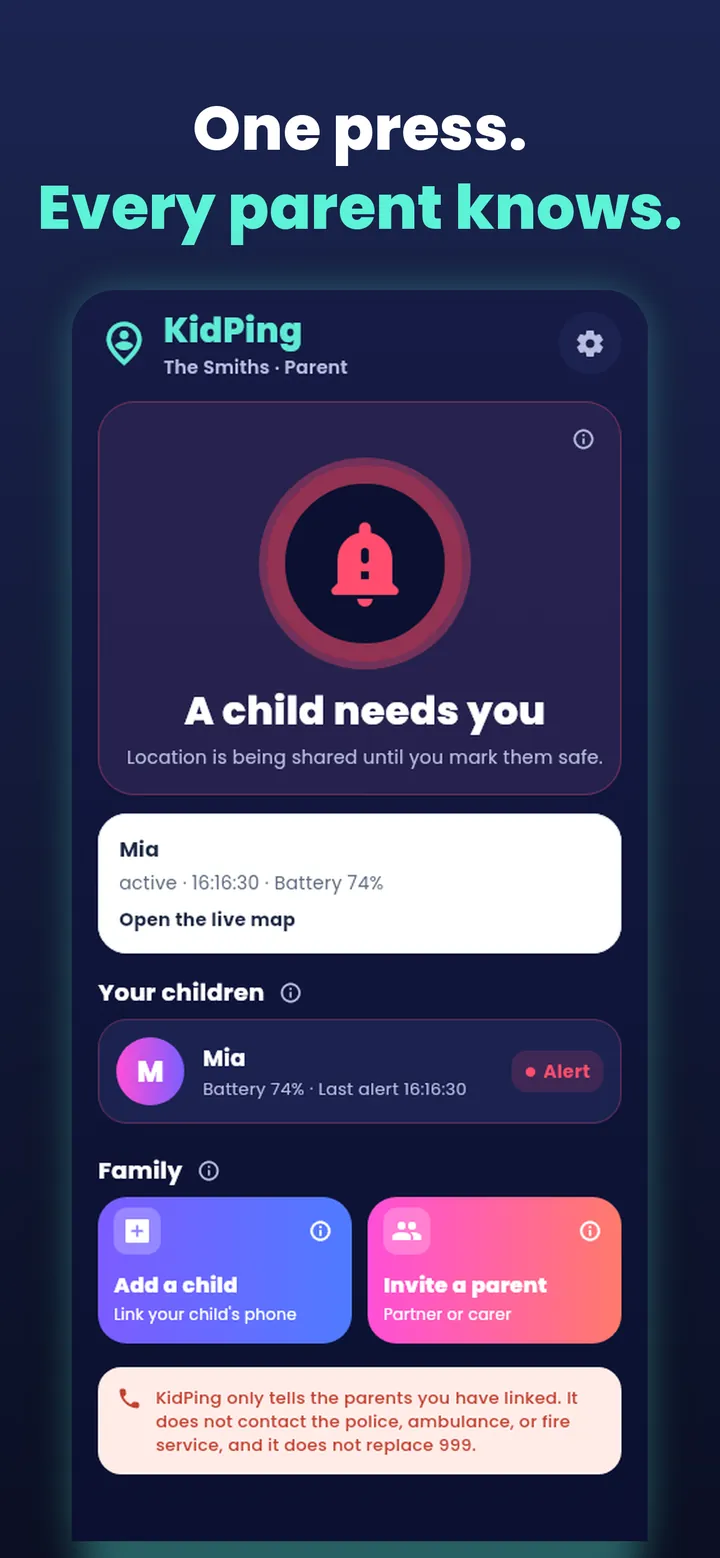
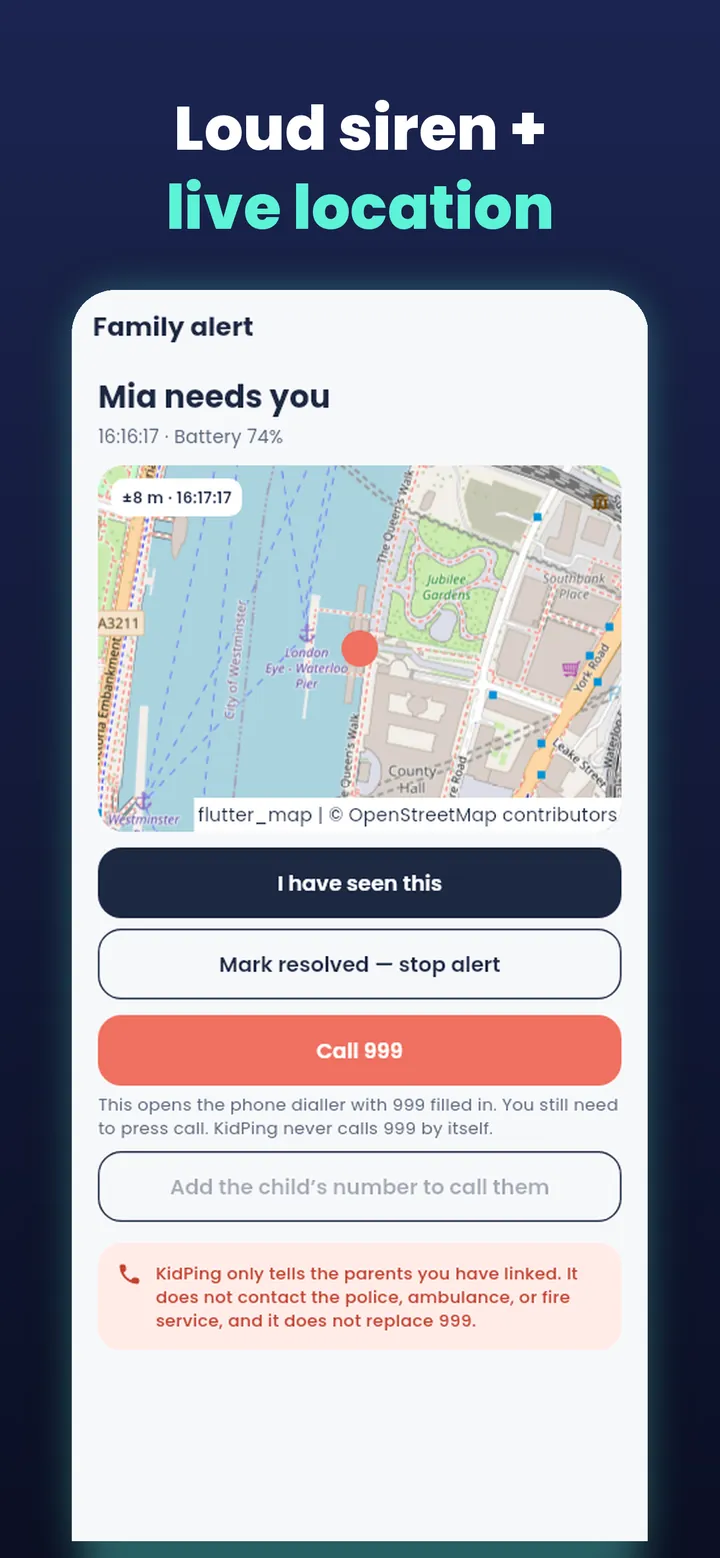
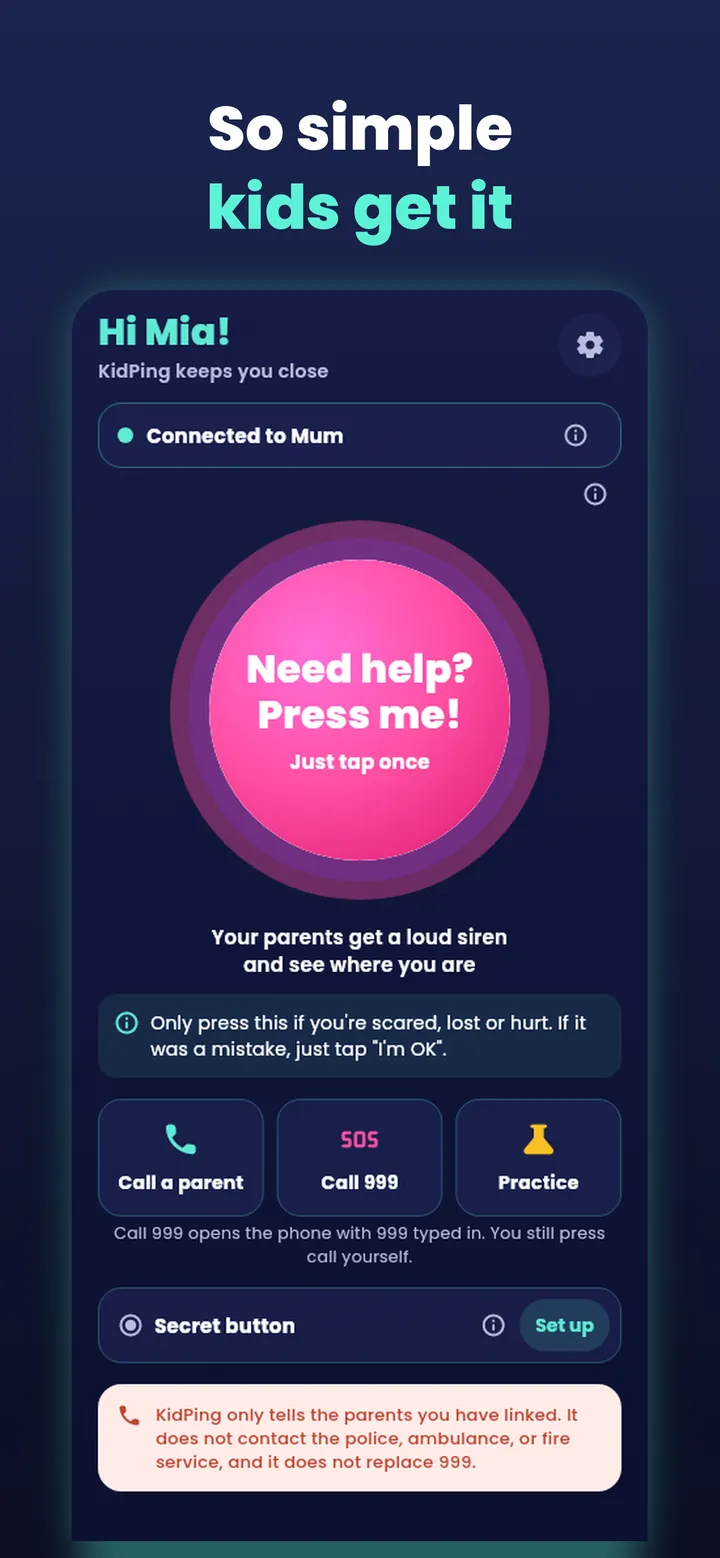
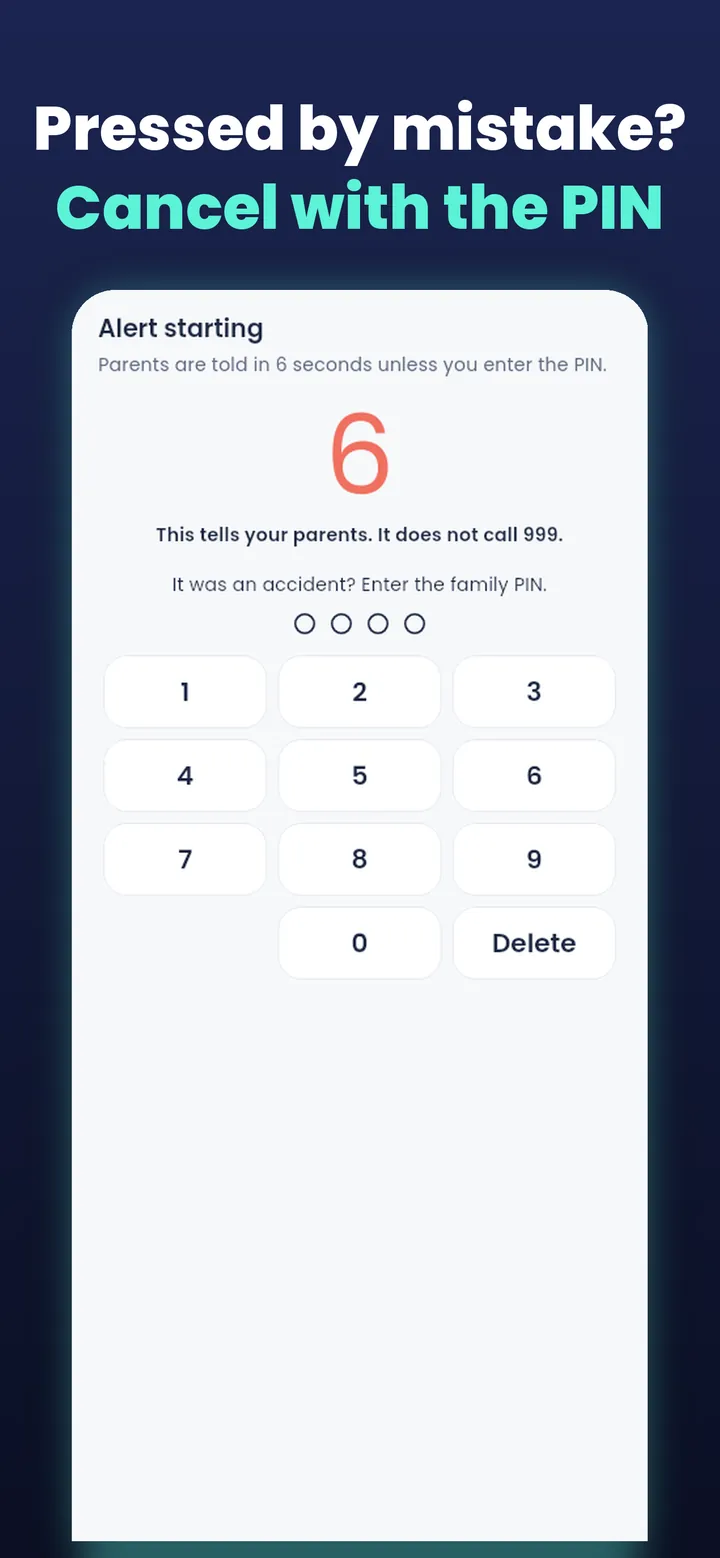
How the family safety alert works
One press of the Action Button, a Lock Screen control or (on Android) three presses of the volume button, and every linked parent gets a loud alert with their child's live location, the time and battery level. The alert keeps going until a parent responds.
- A parent creates a family and an 8-character pairing code.
- The child's phone joins with the code — no email needed for children.
- The child presses the button. A short countdown lets them cancel a mistake.
- Parents get a siren alert and a map, and can mark it resolved.
- The child can tap “I'm OK” to let everyone know they're safe.
Privacy first
- Location is shared only while an alert is open — never at other times.
- Location points are deleted when the alert closes (24 hours at most).
- No ads, no tracking, no data selling.
- Delete your account and data any time in Settings.
Free for families
No subscription, no in-app purchases. KidPing works with iPhones that have an Action Button or iOS 18 Lock Screen controls, and Android phones. Older iPhones can send an alert from inside the app.
KidPing is not an emergency service and does not call 999. In an emergency always call 999.
App details
Get it on the App Store now
Download KidPing for iPhone (Android also supported). Requires iOS 16.0 or later.